In the previous article, I shared how to set up a development environment for Laravel on Windows 11 using WSL2 in combination with Docker Desktop and Laravel Sail. On MacOS, I can apply the same by installing Docker Desktop and Laravel Sail.
However, the most optimal option to set the Laravel environment on MacOS is to use Herd, the official tool developed by Laravel. In this article, I will share instructions on how to set up the Laravel environment on MacOS with Herd.
I. Install Herd
Install Herd quickly with homebrew with the following command
brew install --cask herd
Code language: Nginx (nginx)
After the installation is completed, confirming the HERD has been successfully installed yet
Herd -V
Code language: Nginx (nginx)
See Herd 1.xx.x is ok.
When installing Herd, it will automatically install more PHP, Composer, nginx, DNSMASQ, Node.js and automatic configuration. However, the free Herd version does not support database services. I installed more mysql with the following command
brew install mysql
Code language: Nginx (nginx)
II. HERD manual
1. Configuration via interface
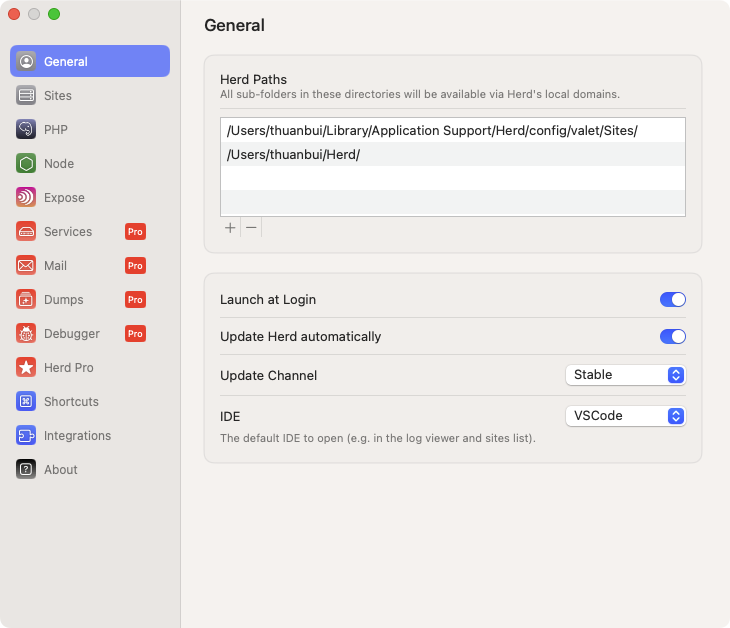
Open the Herd application, and access the Settings section.
The General section, activate the Launch At Login to automatically run when starting the device.
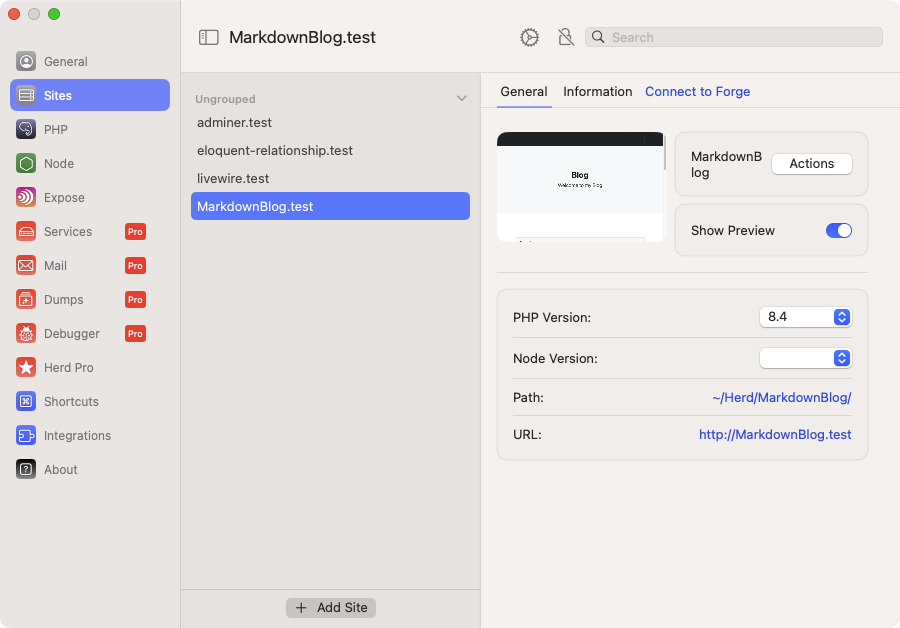
Sites section displays installed websites. We can configure php versions and node version for each separate website. Visit the website at the address http://site-name.test
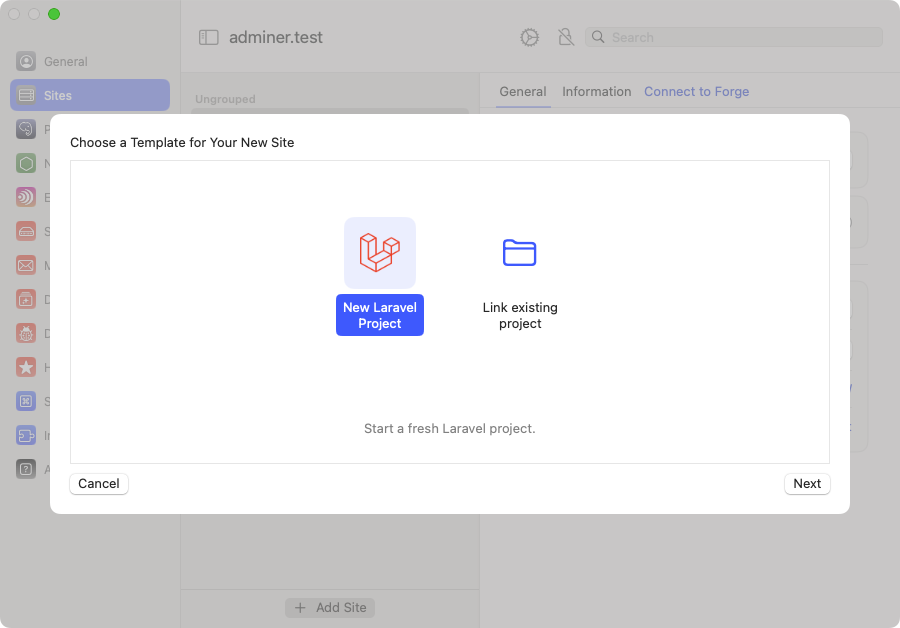
To add a new page, click the + Add Site button. Then select New Laravel Project or Link Existing Project
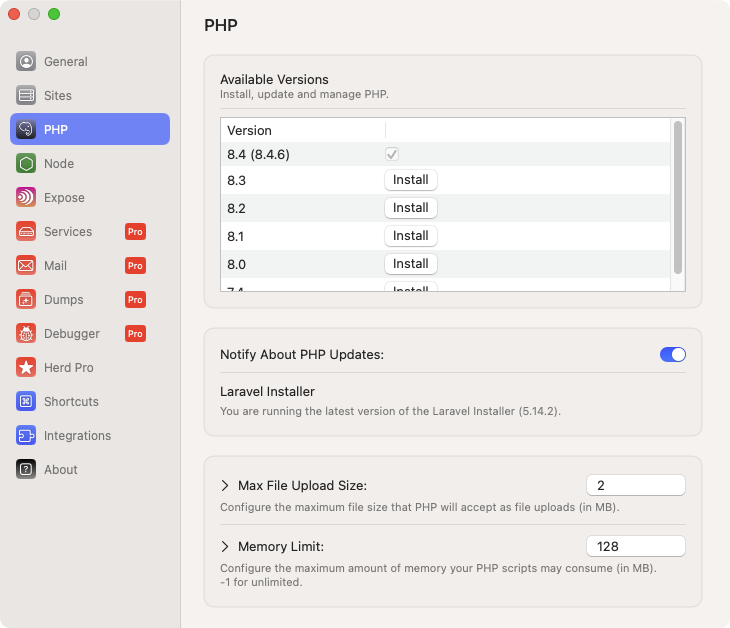
Section PHP, we can install multiple versions of PHP at the same time.
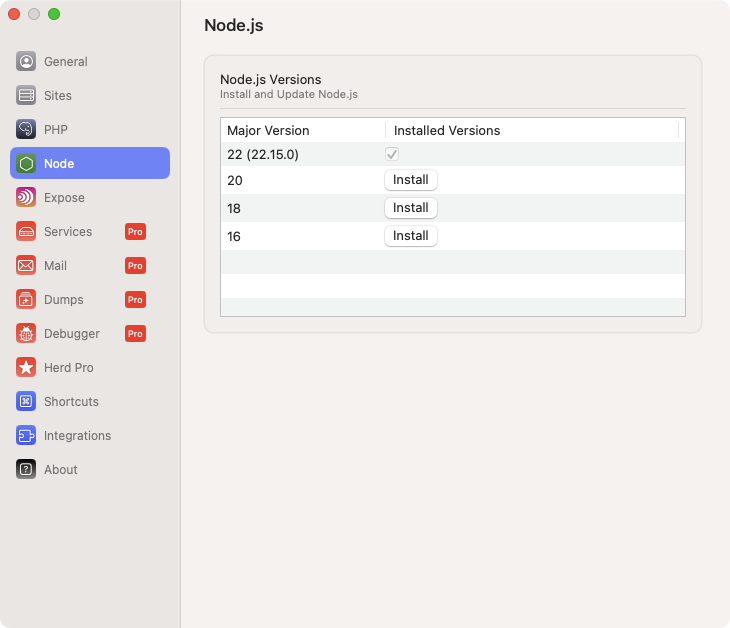
Similarly, the Node section supports installing many different versions of node.js
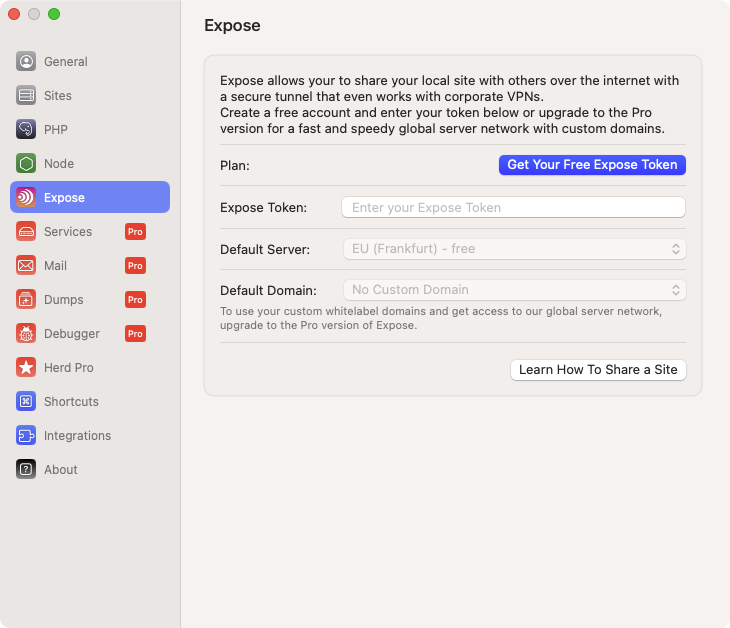
Expose section is used to configure internal website sharing on the internet. Temporarily, do not need to care about this section.
2. Use Command Line
Besides the new site creates using the HERD interface, we can create a new site using Command Line.
By default, websites managed by Herd are stored in the folder ~/Herd. I will move to this folder
cd ~/Herd
Code language: Bash (bash)
Create a new Laravel site
laravel new markknow
Code language: JavaScript (javascript)
Access to the newly created folder
cd markknow
Code language: Bash (bash)
Open a new page created by browser
herd open
Code language: Nginx (nginx)
Or directly access the address http://markknow.test
Open a new page created in IDE
herd edit
Code language: Nginx (nginx)
Or you can use this command more convenient
code .
Code language: Nginx (nginx)
III. Conclusion
I have just instructed how to set up the Laravel environment on MacOS with Herd – a convenient tool from Laravel. Herd saves time, supports many versions of PHP, Node.js and easy management through the visual interface.
Do not forget to follow the blog to update more sharing about Laravel. Thanks and see you again!
Happy Coding!
Reference source: https://herd.laravel.com/docs/macos/getting-started/Installation
Comment Policy: We truly value your comments and appreciate the time you take to share your thoughts and feedback with us.

Note: Comments that are identified as spam or purely promotional will be removed.

To enhance your commenting experience, consider creating a Gravatar account. By adding an avatar and using the same e-mail here, your comments will feature a unique and recognizable avatar, making it easier for other members to identify you.

Please use a valid e-mail address so you can receive notifications when your comments receive replies.
